> ## Documentation Index
> Fetch the complete documentation index at: https://statsig-4b2ff144-devin-1763168466-llm-docs-audit.mintlify.site/llms.txt
> Use this file to discover all available pages before exploring further.
# Slicing by User Properties
> Statsig let's you slice results by user properties. Common examples of doing this include breaking down results by user's home country, subscription s
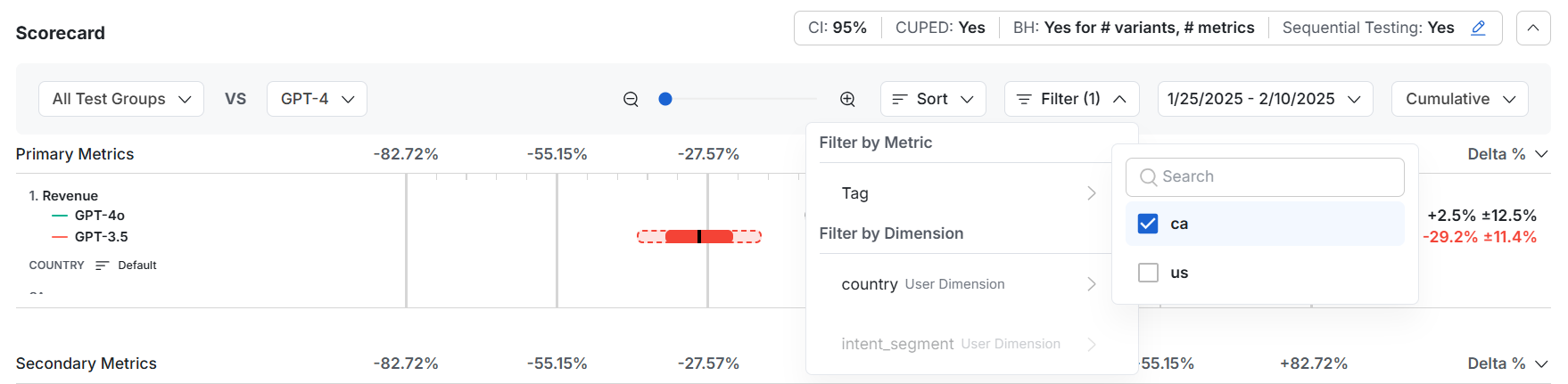
Statsig let's you slice results by user properties. Common examples of doing this include breaking down results by user's home country, subscription status or engagement level.
 For Statsig Cloud, these user properties are captured (and frozen) from the properties set on the user's first exposure. Statsig Warehouse Native also adds support for reading them from a warehouse table (Entity Properties). You can always run custom queries on experiments to slice by user properties.
## Pre-Computed User Properties
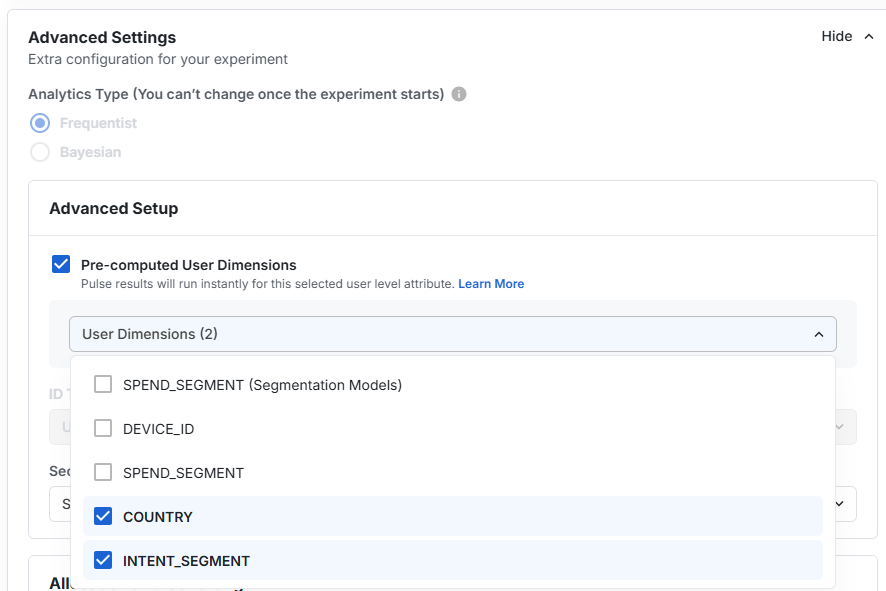
User properties that are frequently used to slice results can be pre-computed when using Statsig Warehouse Native. To do this, you can configure these properties to be pre-computed on the experiment setup page, under the advanced settings. It's also possible to configure team-level defaults for this - or pre-configure it on an experiment template.
For Statsig Cloud, these user properties are captured (and frozen) from the properties set on the user's first exposure. Statsig Warehouse Native also adds support for reading them from a warehouse table (Entity Properties). You can always run custom queries on experiments to slice by user properties.
## Pre-Computed User Properties
User properties that are frequently used to slice results can be pre-computed when using Statsig Warehouse Native. To do this, you can configure these properties to be pre-computed on the experiment setup page, under the advanced settings. It's also possible to configure team-level defaults for this - or pre-configure it on an experiment template.
 Once configured, you can also apply filters to all metrics on your results.