> ## Documentation Index
> Fetch the complete documentation index at: https://statsig-4b2ff144-devin-1763168466-llm-docs-audit.mintlify.site/llms.txt
> Use this file to discover all available pages before exploring further.
# Using a segment
> Learn how to use segments to target users in feature gates and dynamic configs
You can use a segment to target a set of users in a feature gate or a dynamic config as follows:
* Select the feature gate or dynamic config where you want to target a set of users
* Click the **Add New Rule** button
* In the criteria, select the **User in Segment** option
* Select the segment that you want to use and enter a name
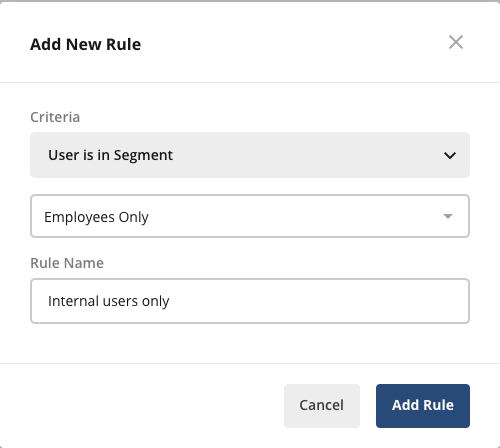 * Click the **Add Rule** button
* Click the **Save Changes** button at the top right of the **Rules** section
* Click the **Add Rule** button
* Click the **Save Changes** button at the top right of the **Rules** section