Creating a Funnel Metric
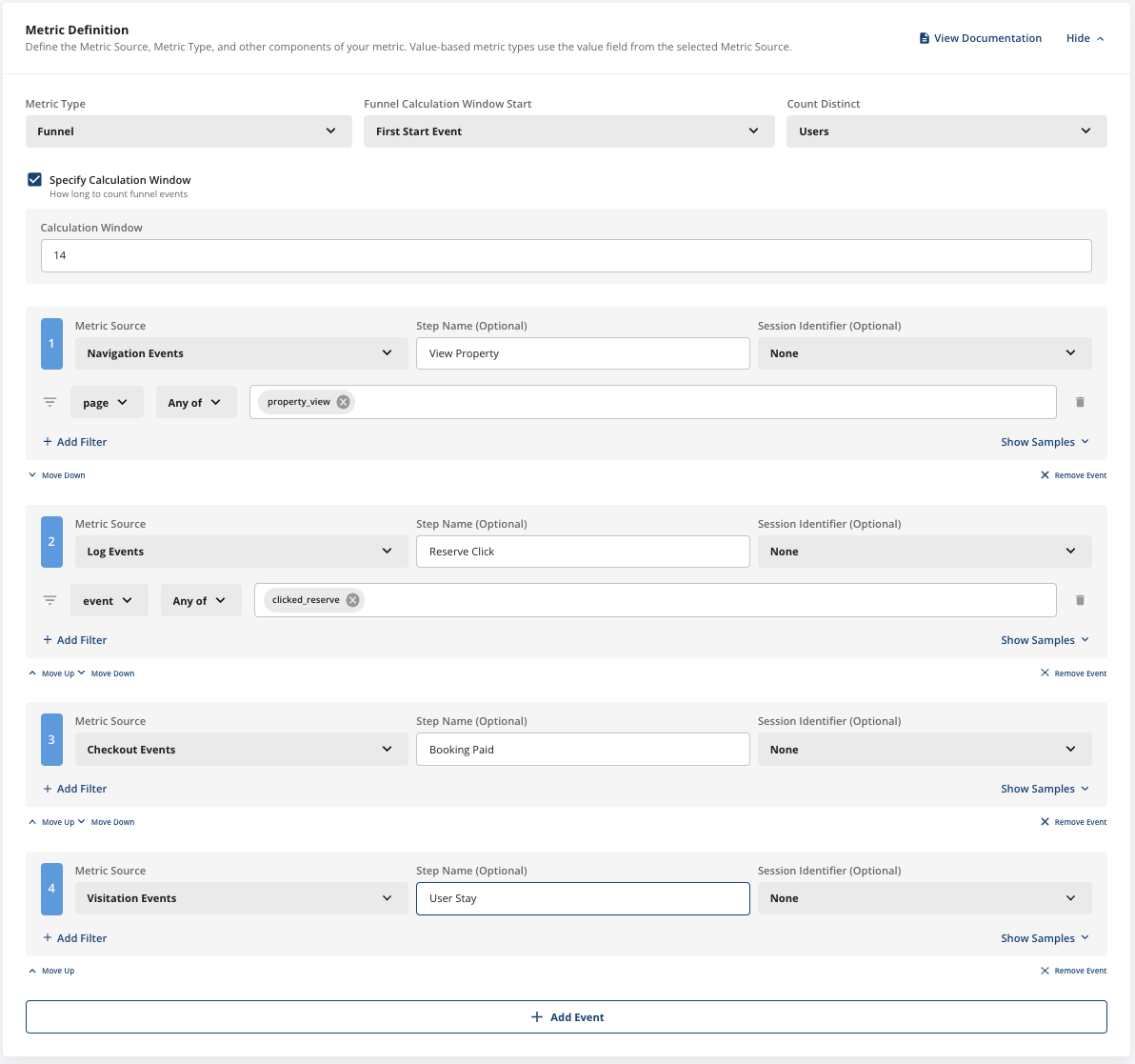
Creating a funnel metric is easy. For example, if you’re running a property booking app and you have the following checkout flow:- User Views a Property
- User Clicks Reserve for a Property
- User Pays for Property
- User Stays at Property Without Cancellation
Readouts
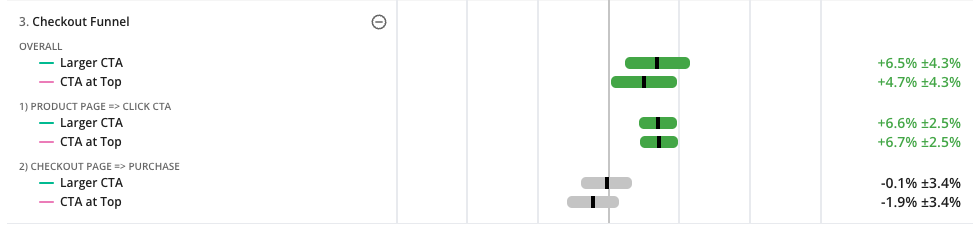
When you analyze an experiment with a Funnel metric, you’ll see the overall conversion impact for the funnel as well as step-wise conversion rate changes. This is a powerful way to understand where your gains in a given funnel come from, and if increased conversion in one step leads to lower conversion further down.- Overall Results - The upper-most “OVERALL” metric represents the number of users that entered the funnel (by viewing a “Product Page”) and fully completed the funnel (by converting on the final event, “Purchase”).
- Stepwise Results - Each subsequent step in the funnel is represented by prior step => next step. In the example below, we can see that the final step is checkout page => purchase, which in plain english indicates “how many users that visited the checkout page proceeded with the purchase”.
Options
There’s a number of powerful options for customizing these funnels:Sessions
Specifying a sessionID allows you to constrain funnel analyses to the same session or secondary identifier. In the example above, we might want to only count the funnel as a success if the user checked out on the same Property they initially viewed. This is a common use case for anybody who deals with Ecommerce flows. In this case, you’d just add a property identifier from the various data sources, and the funnel analysis would calculate if the user completed a funnel within a specific “session”.Count Unique
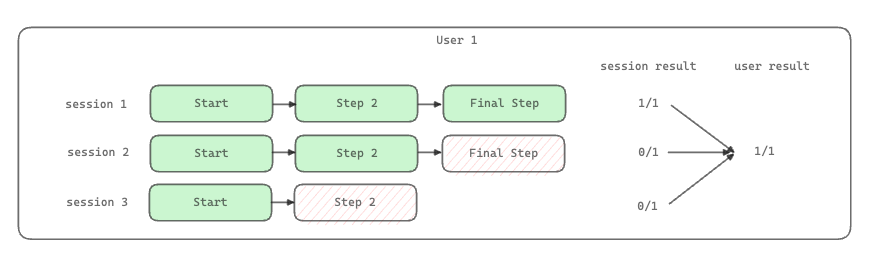
In Statsig Warehouse Native funnel analysis, you can choose whether you want to measure the number of distinct users who completed each step in the funnel, or whether you want to calculate the session-level conversion. If you have a Session identifier set up and choose a user analysis, Statsig will calculate the furthest progress in the funnel for any given user. If you use a session analysis, Statsig will count over the user’s sessions.