

Overview
Statsig’s Akamai Edge KV integration pushes Statsig Configs to Edge KV, providing low latency for gate and experiment evaluations directly in Akamai Edge KV. If you have the correct prerequisites - this should take ~60 minutes to get to the point where you are able to check experiments or gates on Akamai.Prerequisites
You must have these prerequisites:- An Akamai account with EdgeWorkers added to your contract and a Statsig account
- The Akamai CLI
Setup Akamai EdgeWorker
- Create an EdgeWorker ID
- Add the EdgeWorker Behavior
- Install the Akamai CLI
- Install the Edgeworkers CLI
- Generate EdgeGrid credentials
Configure Integration
First, enable the Akamai integration in the Statsig Console. Navigate to Project Settings -> Integrations, and then select AkamaiAuthentication
You will need to input the following EdgeGrid credentials from the previous section: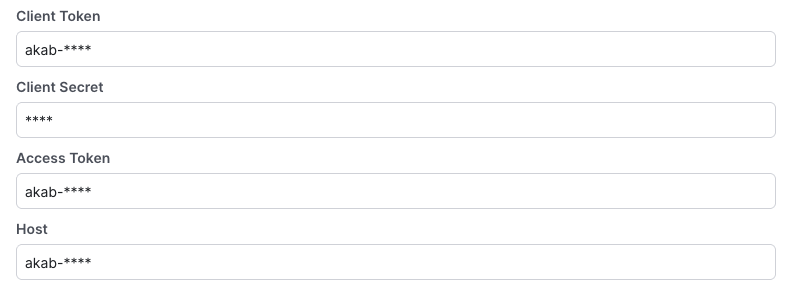
Configuration
Finalize the configuration by selecting a namespace and environment. There is also an option to filter the configs that are synced into your KV namespace by a [/sdk-keys/target-apps](Target App). You may wish to enable this in the future as the size of your config payload grows. For now, you can leave this unchecked.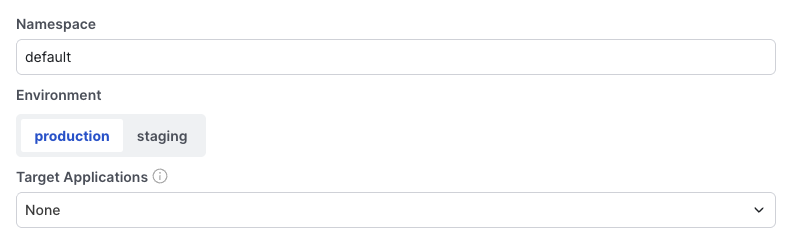
statsig-. The next part of that is your project ID. Copy that to the clipboard - you’ll need it later.
Add Statsig SDK to Worker
- Create a Statsig server secret key and configure it on Akamai
- Clone the Statsig Akamai Edge KV repo (or if you already have an Edge KV package, apply these changes to it)
- Follow instructions in the repo